Creator business expenses can get messy fast once money starts coming in from brand deals, ad revenue, affiliate links, merchandise, or subscriptions. The IRS considers you self-employed the moment that income starts flowing, which means you’re responsible for reporting it, paying self-employment taxes, and managing your own deductions.
Most creators are comfortable with the income side. Sponsorships land in your bank account. YouTube sends a deposit. A brand pays an invoice. The money is real and visible.
The expense side is where things fall apart. Creators spend real money running their business — on cameras, software, lighting, props, travel, and editing tools — but without a system for tracking creator business expenses, most of that spending never shows up as a deduction. The result is an unnecessarily high tax bill every April. This guide breaks down what creators can deduct, how to track it properly, and how to build habits that keep your finances organized year-round.


One of the most important shifts for any full-time or part-time creator is understanding that content creation is a business, not a hobby. This distinction matters for taxes.
If the IRS classifies your activities as a hobby rather than a business, you can’t deduct your expenses at all. To be treated as a business, you generally need to show a profit motive — meaning you’re actively trying to earn money, not just spending on things you enjoy. Consistent income, separate finances, and documented expenses all help establish that you’re running a legitimate business.
The IRS lays out the specific factors used to make this call in its guidance on hobby vs. business activities, which is worth a read if your creator income is still growing.
Once you’re operating as a business, the tax treatment changes significantly. Ordinary and necessary business expenses become deductible against your income. For creators, the list of qualifying expenses is broader than most people expect.

The IRS standard is that a business expense must be both ordinary (common in your industry) and necessary (helpful and appropriate for your work). For content creators, here’s what typically qualifies:
Equipment and gear: Cameras, lenses, microphones, lighting rigs, tripods, gimbals, drones, and any other hardware used for content creation are deductible. If you use a device partly for personal use — like a smartphone — you can deduct the business-use percentage. Smaller items under $2,500 are usually fully deductible in the year of purchase, while larger items may need to be depreciated or expensed at once using Section 179.
Software and subscriptions: Adobe Creative Cloud, Final Cut Pro, DaVinci Resolve, Canva, CapCut, Lightroom, music licensing platforms, scheduling tools, link-in-bio services, email marketing software, and VPNs are all deductible. This is one of the most consistently overlooked category in creator expense tracking — small subscriptions that renew monthly quietly add up over a year.
Home studio and workspace: If you have a dedicated space in your home used regularly and exclusively for content creation — a filming room, an editing setup, a podcast corner — you may qualify for the home office deduction. This can be calculated as a flat $5 per square foot (up to 300 square feet), or as a percentage of your home’s actual costs like rent, mortgage interest, utilities, and insurance. The key word is exclusive: a bedroom you also sleep in doesn’t qualify, but a room used only for work does.
Props, wardrobe, and set design: Items purchased specifically for content — styling pieces for a shoot, background setups, product flat lays, themed decorations — are deductible as long as they serve a clear business purpose. General clothing you could wear anywhere typically isn’t, but branded merchandise, costumes, or outfits purchased specifically for a shoot can be.
Internet and phone: Your internet connection and phone plan are legitimate business expenses for most creators. If you use them partly personally, deduct the business-use percentage. Many creators reasonably allocate 50 to 80 percent of these costs to their business, depending on how heavily they use them for work.
Platform fees and payment processing: Fees charged by YouTube, Instagram, TikTok, Patreon, Substack, Gumroad, or any other platform — as well as payment processing fees from Stripe or PayPal — are deductible. The same applies to marketplace commissions on merchandise or digital product sales.
Travel for content creation: If you travel specifically to create content — a destination vlog, a brand trip, a sponsored event — the associated costs are deductible, including flights, accommodation, transportation, and meals at 50 percent. The trip must have a clear business purpose; a vacation where you happen to film something is much harder to defend than a trip booked specifically to produce content.
Hiring and outsourcing: Payments to editors, thumbnail designers, virtual assistants, or social media managers are deductible. If you pay a contractor more than $600 in a year, you’re required to issue them a 1099-NEC — another reason to keep good records of who you’re paying and how much.
Marketing and advertising: Running paid ads to grow your audience, promoting posts, or paying for sponsored placements in other creators’ content are business expenses. So are the costs of a professional website, domain registration, hosting, and any brand design work.
Professional development: Online courses about content creation, YouTube strategy, editing techniques, or business skills directly related to your work are deductible. Industry conferences, creator summits, and relevant books or publications also qualify.
Professional services: Accounting fees, legal fees for contract review or brand deal negotiations, and business consulting costs are all deductible. If you’re working with a CPA who specializes in creator businesses, their fees come right off your taxable income.




Creators face a challenge most traditional employees don’t: the line between personal life and business content is genuinely blurry. When you film your morning routine, is your coffee a business expense? When you review a product on camera, was buying it a business purchase? The IRS looks at primary purpose — not just whether something appeared in a video.
A good rule of thumb: if the primary reason you made a purchase was to create content, it’s a business expense. If the primary reason was personal and content was secondary, it isn’t. When in doubt, keep the receipt and note the business purpose at the time of purchase — that documentation matters far more than your memory months later.
Mixed-use assets, like a computer you use for both personal browsing and video editing, can be partially deducted. Track your usage honestly, pick a reasonable percentage, and apply it consistently. Being conservative is smarter than being aggressive if you want to avoid questions.

Creators don’t need enterprise accounting software. They need a consistent habit. Here’s what works:
Separate your money: Open a business bank account and route all creator income into it, then pay all creator-related expenses from it. This one step makes reconciling, categorizing, and reporting far simpler, since your finances aren’t tangled with personal spending.
Use a dedicated business card: A business credit or debit card used exclusively for creator expenses creates an automatic log of every purchase. Many cards also offer category tagging and monthly summaries you can export directly.
Capture receipts immediately: Don’t rely on bank statements alone — a bank entry just shows an amount, while a receipt shows what you bought and why. Scan or photograph every receipt right after a purchase, and note the business purpose on the spot. That’s exactly the documentation that holds up if your return is ever reviewed.
Track income from every source: Creator income arrives from many directions: direct deposits from YouTube, wire transfers from brands, PayPal from Patreon, Stripe payouts from digital products. Keep a running log of every payment, who it’s from, what it was for, and when it arrived.
Set a monthly finance date: Block 30 minutes once a month to review your income, check your expenses, and make sure everything is categorized. This turns a stressful year-end scramble into a manageable routine — by tax season, you’ll have 12 organized months waiting instead of 12 months to reconstruct from memory.


Keep all business receipts, invoices, contracts, and income records for a minimum of three years from the date you file your return — the standard IRS audit window. For capital items like cameras or computers that you depreciate over time, keep records for three years after the depreciation ends.
Digital storage is straightforward for creators who already live online. A cloud folder organized by year and category, or a receipt management app that stores everything searchably, takes minimal effort to maintain and makes retrieval instant.
Contracts with brands are worth keeping indefinitely, or at least for several years after the relationship ends. They document the nature of payments and can clarify questions about whether income was for services, licensing, or something else.


Do you use a credit card or debit card for business? The real problem is not spending. It is keeping track of every receipt.
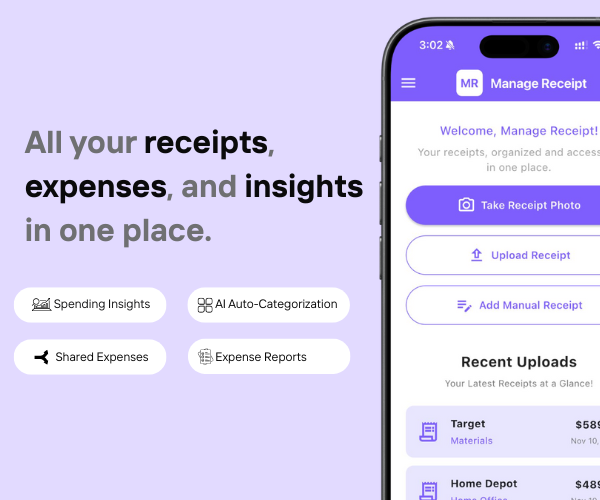
Manage Receipt fixes that. It makes sure every purchase has the right proof attached to it.
With Manage Receipt, you can:
The biggest win? It is not just the time you save. It is the money you keep. Every receipt you save is a tax deduction you can actually use.
Try ManageReceipt free today. It works on iOS and Android. No credit card needed.
Click Here to learn more about how Manage Receipt helps small businesses.

Content creation is one of the few industries where your personality, creativity, and daily life are the product — which makes the business side feel almost unnatural. Spreadsheets and receipts don’t fit the aesthetic of a lifestyle channel or a gaming stream.
But the financial mechanics are the same as any other small business. Income comes in, expenses go out, and the difference is what you’re taxed on. The more carefully you track what you spend on your business, the less you owe — and the more confidently you can make decisions about what to invest in next.
Building one simple habit — capturing every expense the moment it happens, with a note about its business purpose — is worth more than any complicated accounting system you set up once and abandon. Tools like Manage Receipt make this easy: scan the receipt, add a quick note, and it’s organized, stored, and searchable whenever you need it.
The creators who grow their income while staying financially healthy aren’t necessarily better at their craft than those who struggle. They’re just better at treating their content as the business it already is.


Every tool on this list helps you run your business better. But none of them matter if your financial records are a mess.
Before you invest in project management software, marketing tools, or e-commerce platforms — make sure your expense tracking is airtight. Every purchase you make for your business needs to be documented, categorised, and stored correctly. Not just for tax season, but for understanding whether your business is actually profitable.
That is exactly what ManageReceipt is built for. Scan a receipt in seconds, add the business purpose, and it is stored, backed up, and export-ready. No shoebox of crumpled paper. No scrambling at tax time.
Download ManageReceipt Free — Start Tracking Expenses Today
iOS & Android | managereceipt.com
© 2025 Manage Receipt. All Rights Reserved.