Gym and Fitness Studio Owner Expense Tracking Basics
Gym and Fitness Studio Owner Expense Tracking Basics Why Fitness…


Tired of paper clutter? Meet Manage Receipt, the smart AI receipts scanner app that digitally stores and organizes your receipts in seconds. Whether you’re managing small business expenses, taxes, or personal budgets, our app makes tracking fast, simple, and stress-free.
Manage Receipt is the smart way to scan receipts, track expenses, store documents, and organize bills—all in one secure AI-powered app. Whether you need a receipt scanner app, an expense management app, or a digital document wallet, everything stays organized effortlessly.
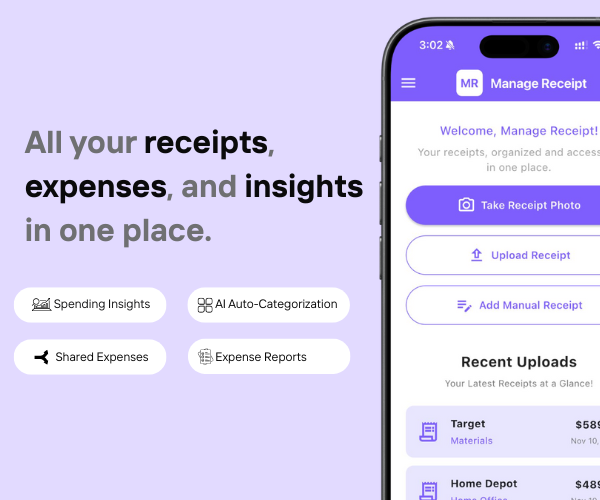
Automate your entire expense-tracking workflow.
Scan receipts, categorize spending, and get real-time insights without spreadsheets.
Track every business expense instantly
AI-powered auto-categorization
Perfect for reimbursements & tax filing
Reduce errors & save hours every week
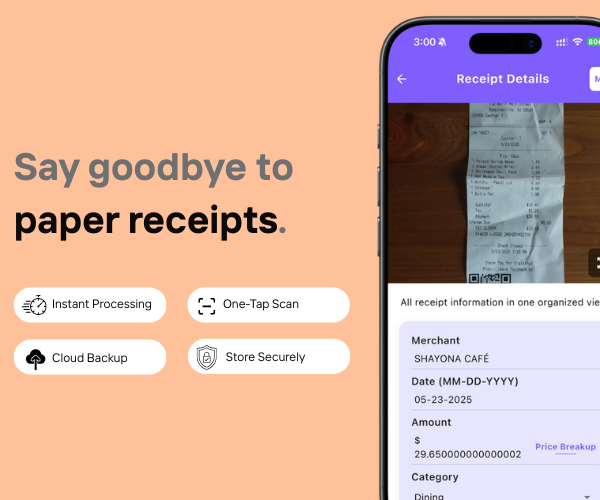
Skip manual entry. Capture receipts in seconds and let AI extract all details instantly.
Auto-read vendor, date, amount
Store receipts securely
Share receipts with accountants
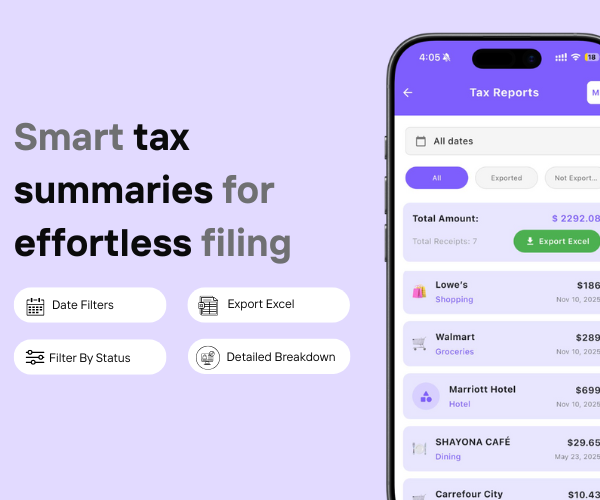
Export clean, organized tax reports for your accountant or CA.
Auto-categorized spending makes filing easy.
Export Excel or PDF
Filter by vendor, category, or status
Track all business spending
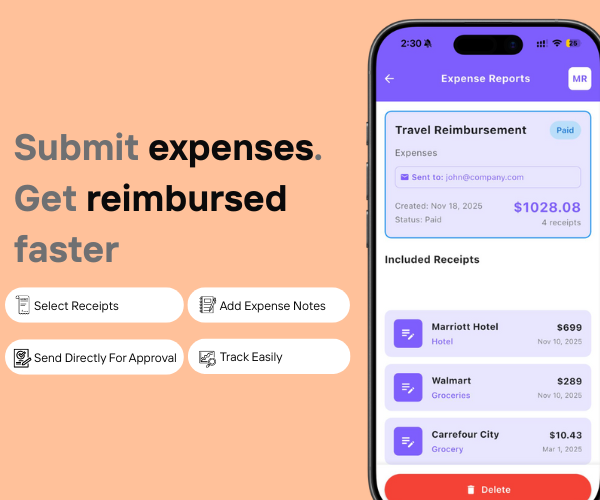
Create, submit, and approve reimbursement reports in one tap.
Perfect for employees, freelancers, and field staff.
Auto-attach scanned receipts
Add notes & categories
Send reports to managers instantly
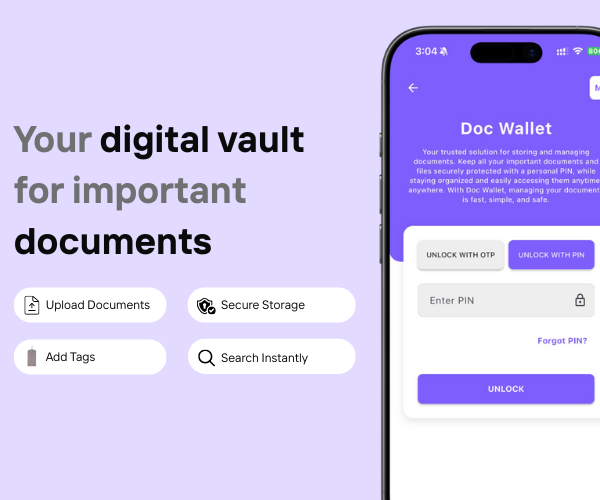
Keep invoices, supplier contracts, warranties, and bills safe and searchable.
Cloud backup
Add tags for easy search
Access from anywhere
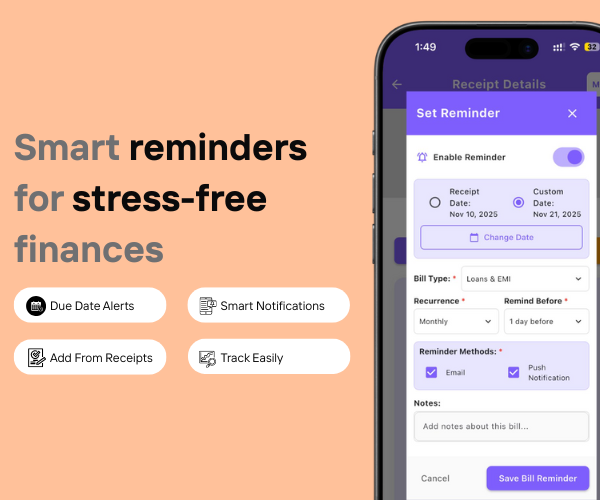
Late fees, missed vendor payments, and forgotten subscriptions hurt small businesses. Manage Receipt makes bill tracking effortless with smart, automated reminders.
Set due-date alerts for vendor invoices, subscriptions & utilities
Smart notifications ensure timely payments
Add reminders directly from scanned receipts
Perfect for monthly business bills & recurring expenses

Gym and Fitness Studio Owner Expense Tracking Basics Why Fitness…

Coworking Space Costs Deductible: Full 2026 Guide Why Expense Tracking…

Coworking Space Costs Deductible: Full 2026 Guide Are Coworking Space…
Small businesses waste hours collecting, sorting, and entering receipts manually. Manage Receipt automates scanning, categorization, and storage — cutting admin time by up to 80%.
Yes. Employees can scan or upload receipts directly from the app, and you can review, approve, or reject expenses instantly.
Absolutely. You can add team members so everyone’s receipts and expenses are stored in one organized place.
100%. Even if you don’t have a dedicated accountant, the app organizes everything automatically so you can manage expenses effortlessly.
Yes. Employees can add manual entries or upload photos of cash receipts, and everything is logged with timestamps.
Yes. You can store vendor bills, set reminders for due dates, and track all payments to avoid missed bills and late fees.
Yes. The app keeps all receipts tax-ready and exports reports in formats that accountants consultants prefer.
Definitely. If you travel for business, you can track hotel, fuel, meals, and client meeting expenses automatically — even in foreign currencies.
Yes. You get monthly spending insights so you can identify overspending areas and control unnecessary business expenses.
Yes. Freelancers, consultants, designers, real estate agents, trainers, and service providers use it to manage expenses, store client receipts, and keep finances organized.
During heavy purchasing periods (inventory buying, client gifts, equipment upgrades), the app keeps every receipt organized automatically so you don’t lose track of business spending.
Yes. All data is encrypted and securely stored in the cloud. Only authorized team members can access it.
Absolutely. The app is designed to be simple — scan, save, and your records are ready. No learning curve.
© 2025 Manage Receipt. All Rights Reserved.
