


You buy something online, and two things land in your inbox — but understanding the difference between a digital receipt vs email confirmation matters more than most people realize. Consequently, when tax season or a return comes around, the wrong document is often the one sitting in the inbox.
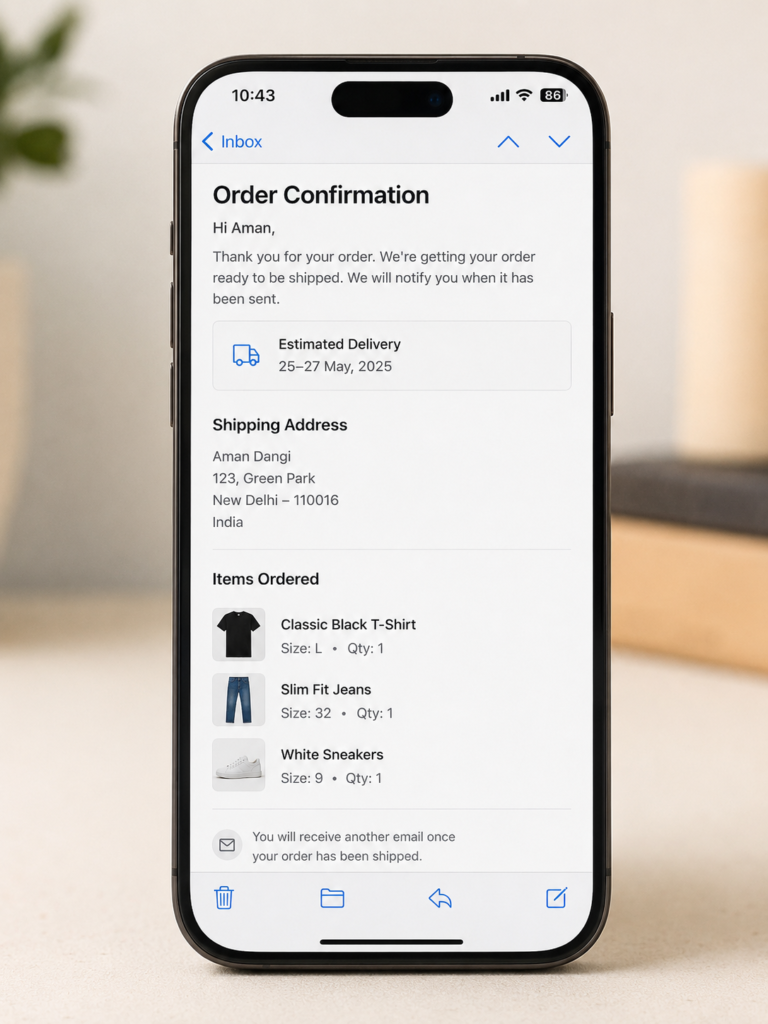
It focuses on order details, not payment proof. This email typically includes the items ordered, shipping address, and estimated delivery date. However, it often lacks a detailed payment breakdown.
It’s generated before the transaction is fully processed. Since it’s sent right at checkout, some confirmations go out even if a payment later fails or gets adjusted. Therefore, it isn’t always reliable proof that money actually changed hands.
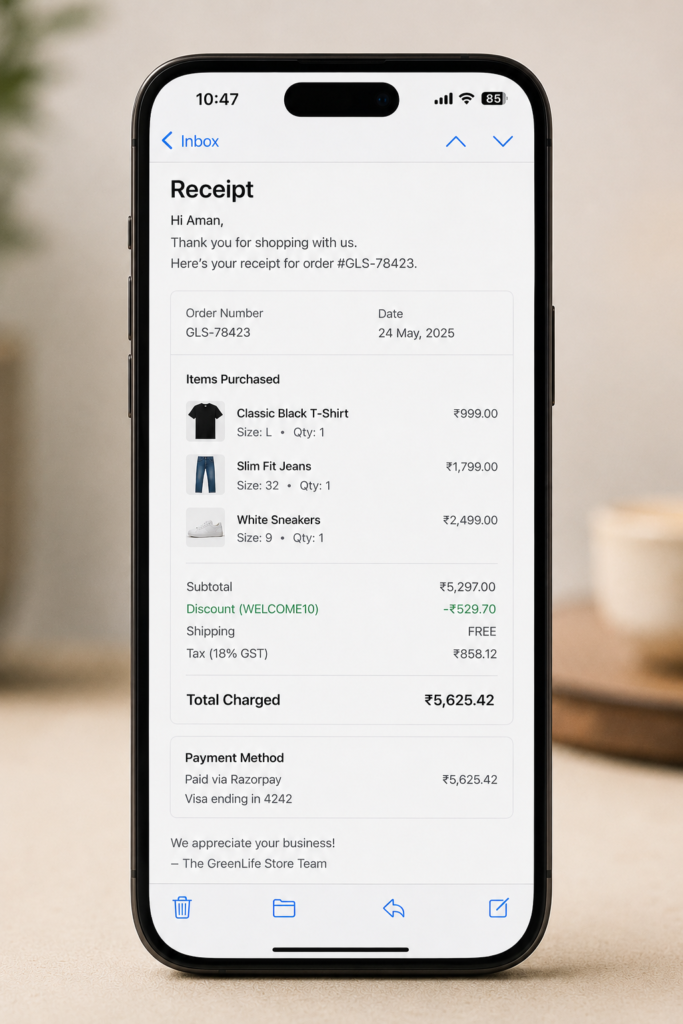
It confirms that payment was completed. A digital receipt is generated after your payment successfully processes, making it the actual proof of purchase.
It includes a full financial breakdown. This typically covers the itemized price, tax, discounts applied, payment method, and the final charged amount. Moreover, it often includes a transaction number tied to that specific payment.
It’s the document your accountant or the IRS actually wants. Since it verifies payment, a digital receipt holds more weight for expense tracking, reimbursements, and tax deductions than a confirmation email.
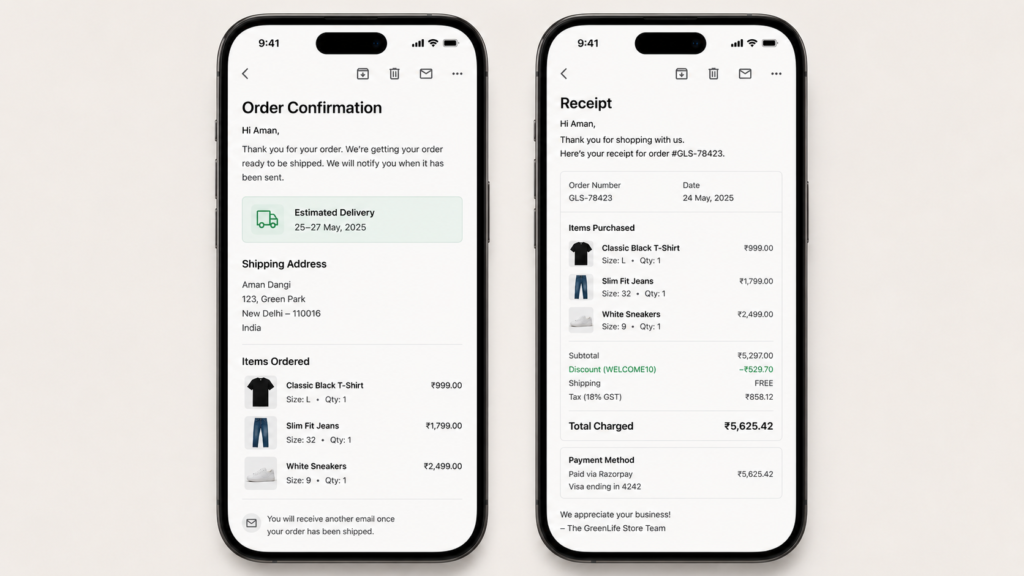
The clearest way to tell these two apart is to look at what each one actually proves. An email confirmation usually arrives the moment you check out, before payment even finishes processing. It focuses on your order, not your money. A digital receipt, on the other hand, only gets generated once your payment goes through, and it includes a full breakdown of what you paid, including tax, discounts, and the final charged amount.
The gap becomes obvious when you look at the details. Confirmations rarely include a tax breakdown or a transaction number tied to the payment itself. Receipts almost always do. This is why a receipt holds up for tax deductions and reimbursements, while a confirmation often falls short if someone asks for real proof of payment.
Many retailers blur the line between the two. Some companies combine both into a single email, while others send them separately, hours or even days apart. Therefore, always check whether the email includes a full payment breakdown before assuming it’s a receipt.
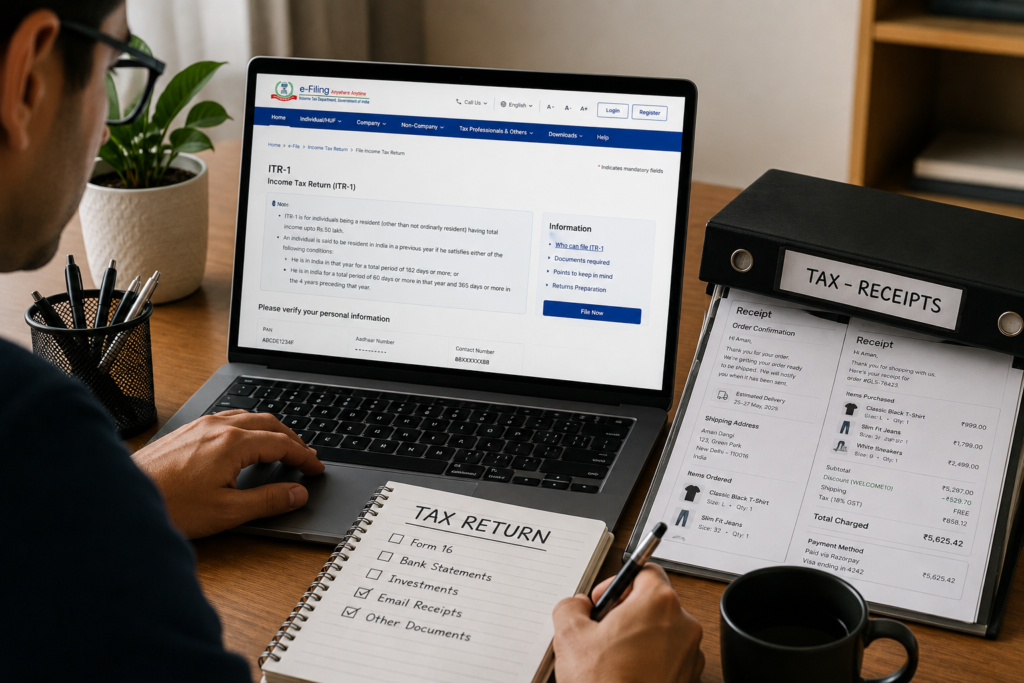
Tax deductions require actual proof of payment. An order confirmation alone may not satisfy documentation requirements if you’re ever asked to substantiate a business expense.
Returns and refunds move faster with a receipt. Customer service typically needs the transaction number and payment details found on a receipt, not just the order summary from a confirmation.
Expense reports look more credible with receipts attached. Whether you’re submitting for reimbursement or filing taxes, a receipt with a clear payment breakdown holds up better than a generic confirmation email.
Warranty claims often specifically ask for the receipt. Manufacturers frequently require proof of the purchase date and amount paid, which a confirmation email doesn’t always clearly show.
Tip: If you only receive an order confirmation, check your account dashboard on the retailer’s website. Most stores store the actual receipt there, even if it wasn’t emailed separately.
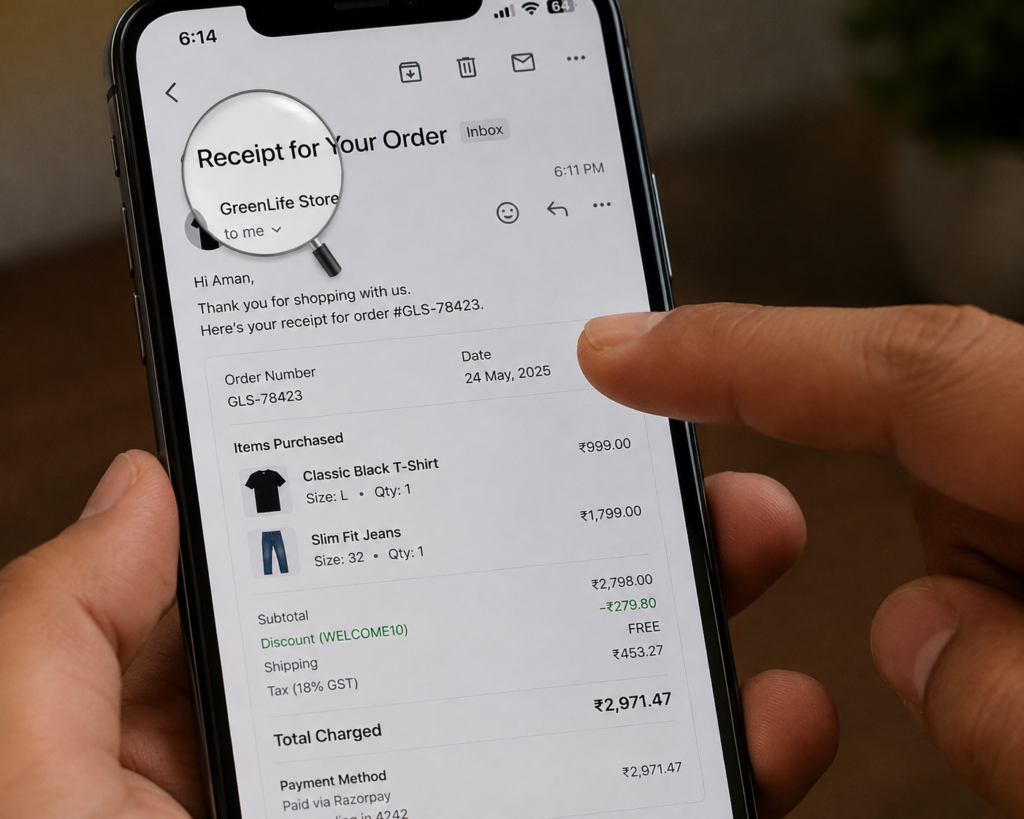
Check the subject line first. Emails labeled “Order Confirmation” or “Your Order Has Shipped” are usually confirmations, while ones labeled “Receipt” or “Payment Confirmation” are typically the real receipt.
Look for a detailed payment section. If the email shows subtotal, tax, discounts, and final charged amount clearly broken out, it’s functioning as a receipt regardless of the subject line.
Search for a transaction or payment ID. A confirmation may only include an order number, while a receipt usually includes a separate transaction or payment ID tied to the charge.
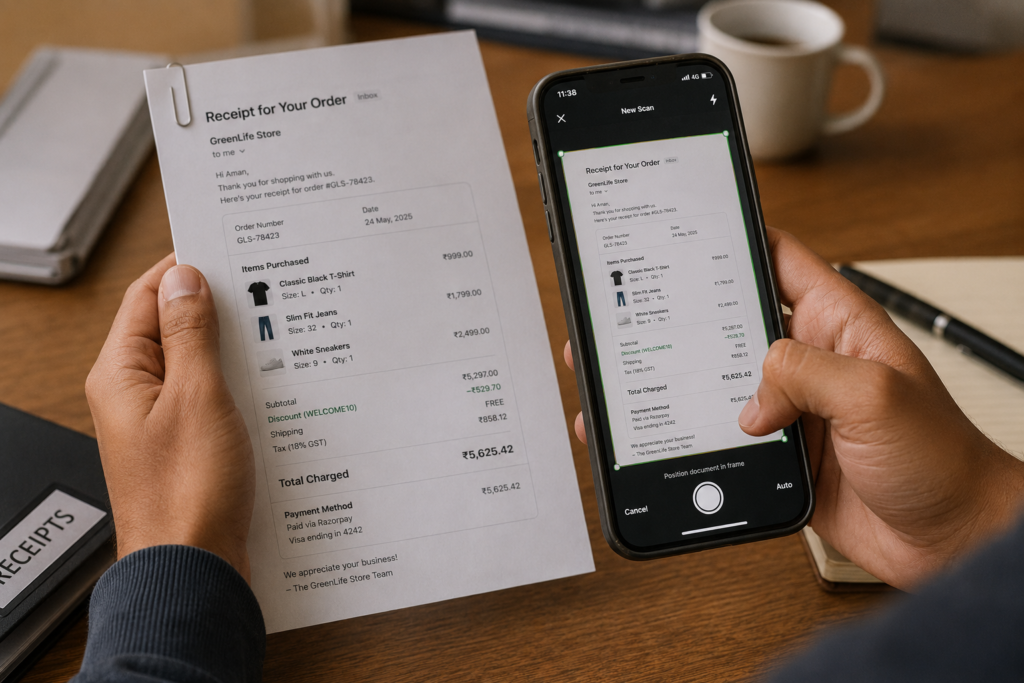
Manage Receipt captures and organizes your receipts automatically, so you don’t have to guess which email actually counts as proof of payment. Therefore, every purchase stays documented and ready for taxes, returns, or reimbursements, without digging through a cluttered inbox.
With Manage Receipt, you can:

The difference between these two emails comes down to one question: does it prove you actually paid? An order confirmation tells you your purchase went through the system. A digital receipt tells you the payment cleared, and it comes with the details to back that up.
Going forward, don’t assume the first email in your inbox is the one you need. Check for the payment breakdown, save both if you’re unsure, and let a receipt-scanning app handle the sorting so you’re never left searching for proof of purchase when it actually matters.
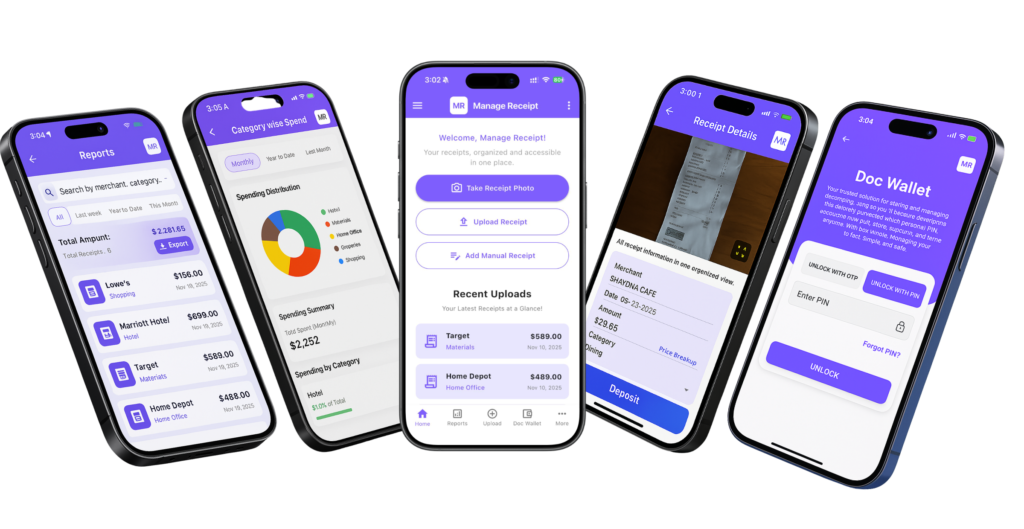
Manage Receipt is designed to simplify the way individuals and businesses manage their financial records. The app allows users to digitize receipts, organize expenses, and generate reports in one platform. With smart tools like receipt scanning, expense tracking, and bill reminders, users can easily monitor their spending and keep their financial data organized.


© 2025 Manage Receipt. All Rights Reserved.
