



By the ManageReceipt Team | Updated June 2026
Running a small business in 2026 means wearing every hat — accountant, marketer, operations manager, and customer support — often all in the same day. The difference between businesses that scale and businesses that struggle often comes down to one thing: the tools they use.
The right tools save time, reduce errors, cut costs, and give you back hours every week. The wrong ones — or none at all — create chaos that quietly costs you money.
This guide covers the best tools for running a small business in 2026, organised by category, so you can build a lean, efficient operation without overpaying for software you don’t need.
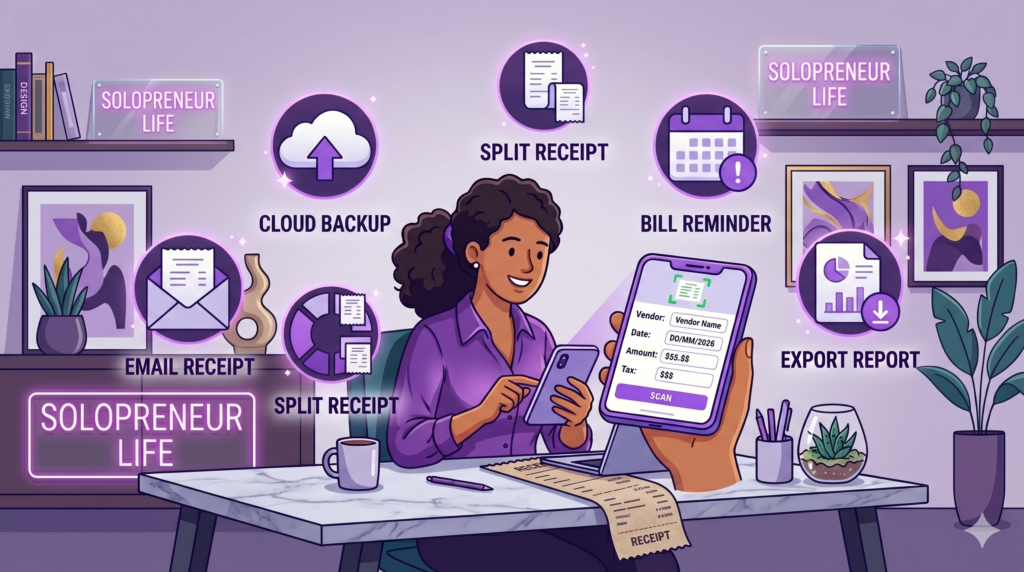
Every business expense needs to be tracked, stored, and tax-ready. Most small business owners either lose receipts, forget to log expenses, or spend hours at tax time reconstructing records from memory.
ManageReceipt solves this completely. It is an AI-powered receipt management app built specifically for small businesses, freelancers, and sole proprietors who need a simple, reliable system without the complexity of enterprise software.
Key Features:
Best for: Freelancers, sole proprietors, and small business owners managing their own expenses
Pricing: Free to download — iOS and Android
Why it stands out: Most expense apps are built for enterprise teams. ManageReceipt is built for the business owner doing it themselves — simple, fast, and fully IRS-compliant out of the box.

Download ManageReceipt free — iOS & Android — managereceipt.com
Start scanning your first receipt in under 60 seconds.


For small businesses that need basic accounting without a large software bill, Wave remains one of the strongest free options in 2026. It handles income and expense tracking, invoicing, and basic financial reporting. It works best when paired with a dedicated receipt management app like ManageReceipt for capturing and organising expense documentation before it hits your accounting system.
Best for: Micro-businesses and sole proprietors needing free accounting
Pricing: Free core plan; paid add-ons for payroll and payments

If your business sends invoices regularly, you need a dedicated invoicing tool. QuickBooks dominates the market and integrates with most other business tools. FreshBooks is a cleaner, simpler alternative better suited to freelancers and service businesses.
Best for: Any business billing clients for products or services
Pricing: QuickBooks from $30/month; FreshBooks from $19/month

Keeping track of tasks, client work, and team projects without a system leads to missed deadlines and duplicated effort. Trello is visual and simple — ideal for small teams. Notion combines project management with documentation, making it a powerful all-in-one workspace for solo operators and small teams alike.
Best for: Service businesses, agencies, freelancers managing multiple clients
Pricing: Both have generous free tiers

Email threads get buried. Slack keeps team communication fast, organised, and searchable. Even as a solo operator, Slack integrates with hundreds of tools and keeps all your project conversations in one place.
Best for: Teams of 2 or more; anyone managing contractors or remote workers
Pricing: Free tier available; paid plans from $7.25/user/month
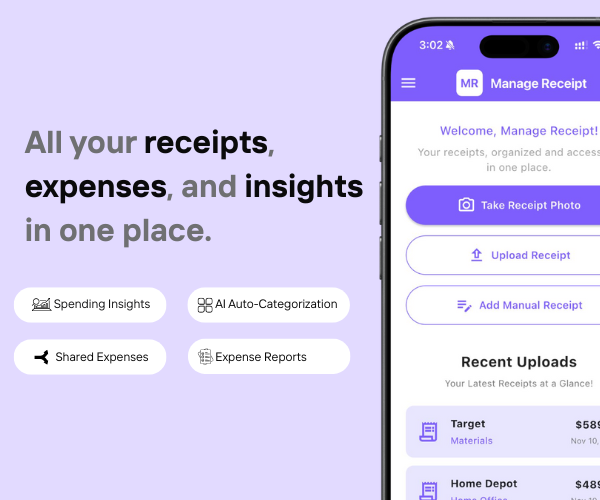
Whether you use a credit card or debit card, the real challenge is organizing proof.
Manage Receipt helps bridge that gap by ensuring every transaction has proper documentation.
With Manage Receipt, you can:
Capture receipts instantly to prevent loss
Store all receipts in one centralized system
Access proof quickly for approvals and audits
Improve visibility into spending
Reduce manual work and admin overhead
The biggest benefit of using ManageReceipt isn’t just the time you save. It’s the money you keep — because every receipt you capture is a deduction you can actually claim.
Try ManageReceipt free today — available on iOS and Android. No credit card required.
Click Here to know more about how Manage Receipt helps small businesses.

For businesses selling products online, Shopify remains the most complete solution in 2026 — combining storefront, inventory, and payments in one platform. For businesses that just need to accept payments without a full store, Stripe is the cleanest, most developer-friendly payment processor available.
Best for: Product-based businesses (Shopify); service businesses taking payments (Stripe)
Pricing: Shopify from $29/month; Stripe charges per transaction with no monthly fee

Every tool on this list helps you run your business better. But none of them matter if your financial records are a mess.
Before you invest in project management software, marketing tools, or e-commerce platforms — make sure your expense tracking is airtight. Every purchase you make for your business needs to be documented, categorised, and stored correctly. Not just for tax season, but for understanding whether your business is actually profitable.
That is exactly what ManageReceipt is built for. Scan a receipt in seconds, add the business purpose, and it is stored, backed up, and export-ready. No shoebox of crumpled paper. No scrambling at tax time.
Download ManageReceipt Free — Start Tracking Expenses Today
iOS & Android | managereceipt.com


© 2025 Manage Receipt. All Rights Reserved.
