



Every small business has small expenses. A team lunch, a last-minute office supply run, a parking fee before a client meeting — these costs are real, but they are too small and too frequent to justify a formal purchase order or company card swipe every time.
That is exactly what a petty cash system is built for. Without one, these small expenses get paid from personal pockets, forgotten, or recorded incorrectly — all of which create problems at tax time.
This guide walks you through how to set up a simple, effective petty cash system for your small business — step by step.
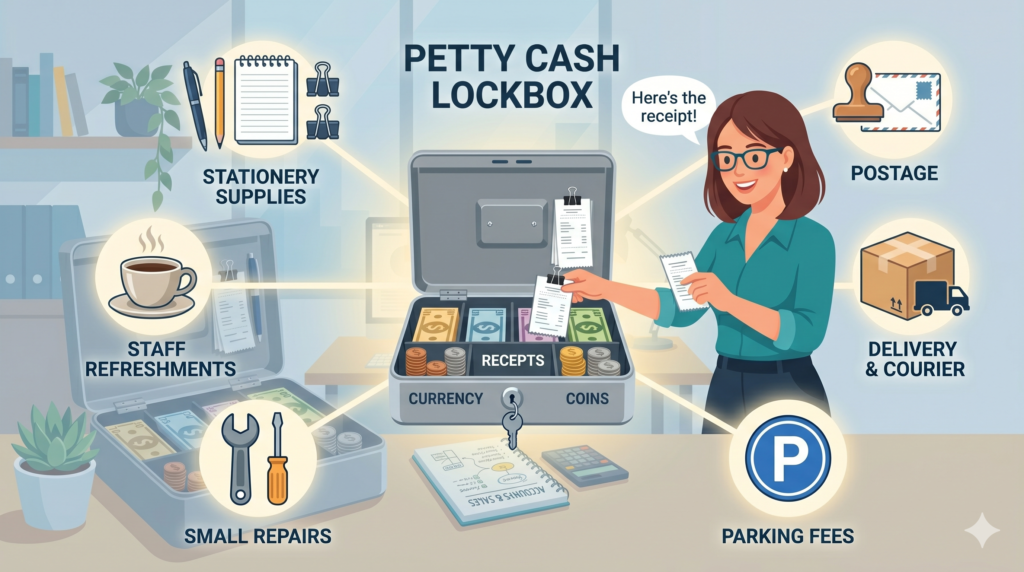
A petty cash system is a small reserve of physical cash kept on-site to cover minor day-to-day business expenses. Instead of reimbursing every small purchase through payroll or bank transfers, employees draw from this fund and submit a receipt in return.
Common petty cash expenses include:
A well-managed petty cash fund keeps these transactions visible, traceable, and claimable as business deductions.

Start by estimating how much your business spends on small expenses in a typical month. Most small businesses start with a petty cash fund between $100 and $500. The right amount depends on your business size, how often employees need cash, and how frequently you want to replenish the fund.
Tip: Start small. You can always increase the fund once you understand your actual spending patterns.

Assign one person to manage the petty cash fund. This person — often called the petty cash custodian — is responsible for storing the cash securely, recording every transaction, verifying receipts, and requesting replenishments when the fund runs low.
Having a single custodian creates accountability and makes it much easier to spot discrepancies. Avoid giving multiple people unrestricted access to the same fund.

Store petty cash in a locked box, drawer, or small safe — somewhere only the custodian can access. Keep it in a fixed location at your place of business. The cash should never leave with an individual or be stored in a personal bag or pocket.
At any point in time, the cash in the box plus all submitted receipts should always equal the original fund amount. This is your key reconciliation check.

Every transaction must be recorded. Create a simple petty cash log — this can be a physical ledger, a spreadsheet, or a receipt tracking app. Each entry should capture the following:
Using a receipt management app like Manage Receipt makes this step much easier — you can scan receipts instantly, auto-categorize expenses, and maintain a real-time digital log without any paperwork.
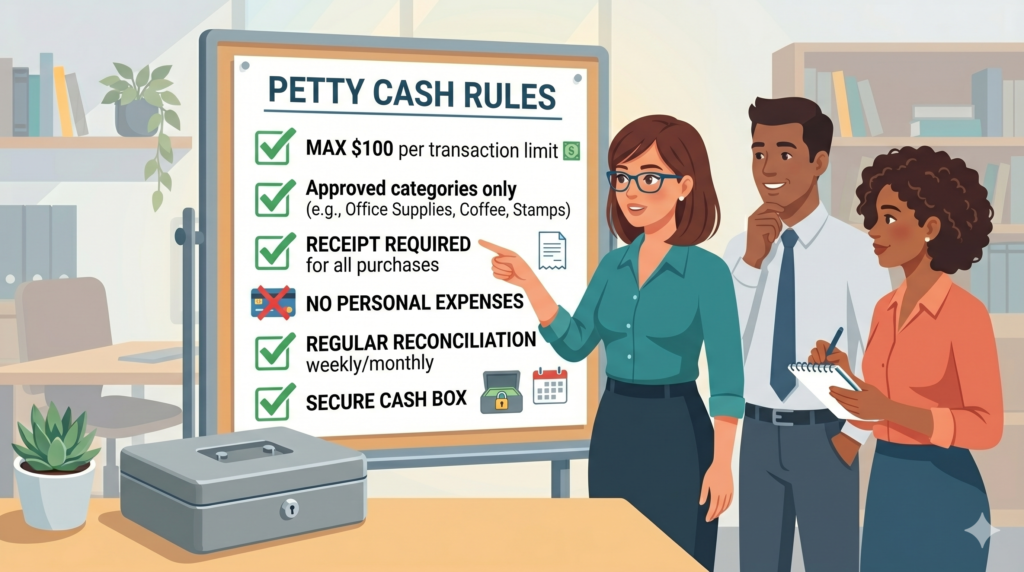
A petty cash system without rules invites misuse. Define clear policies before distributing any cash:
Write these rules down and share them with anyone who may use the fund. Consistency is what keeps petty cash from becoming a financial blind spot.
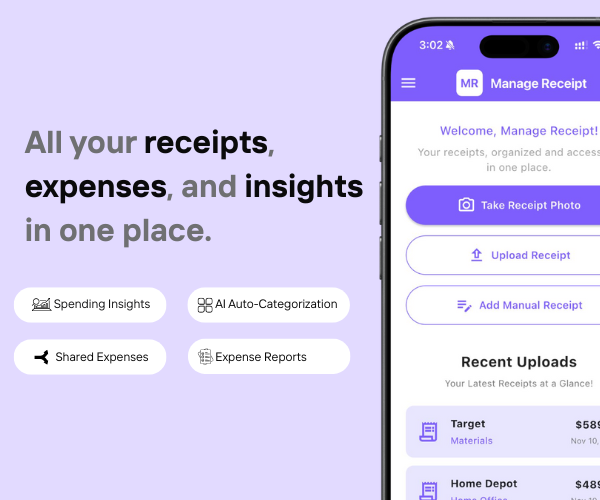
Do you use a credit card or debit card for business? The real problem is not spending. It is keeping track of every receipt.
Manage Receipt fixes that. It makes sure every purchase has the right proof attached to it.
With Manage Receipt, you can:
The biggest win? It is not just the time you save. It is the money you keep. Every receipt you save is a tax deduction you can actually use.
Try ManageReceipt free today. It works on iOS and Android. No credit card needed.
Click Here to learn more about how Manage Receipt helps small businesses.

When to Move Beyond Petty Cash
A petty cash system works well for genuinely small, infrequent expenses. But if you notice the fund being used daily, the amounts creeping higher, or employees frequently hitting the per-transaction limit — it may be time to issue a business debit card or set up a formal expense reimbursement process instead.
The petty cash system is not a workaround — it is a proper financial tool. Use it for what it is designed for and complement it with the right digital tools to keep everything organized.

Every tool on this list helps you run your business better. But none of them matter if your financial records are a mess.
Before you invest in project management software, marketing tools, or e-commerce platforms — make sure your expense tracking is airtight. Every purchase you make for your business needs to be documented, categorised, and stored correctly. Not just for tax season, but for understanding whether your business is actually profitable.
That is exactly what ManageReceipt is built for. Scan a receipt in seconds, add the business purpose, and it is stored, backed up, and export-ready. No shoebox of crumpled paper. No scrambling at tax time.
Download ManageReceipt Free — Start Tracking Expenses Today
iOS & Android | managereceipt.com


© 2025 Manage Receipt. All Rights Reserved.
