


For years, I tracked every business expense in Excel. It seemed like the easiest solution — customizable, familiar, and free.
But over time, it slowly became a problem instead of a solution.
After switching away from spreadsheets and using an automated receipt and expense system, the difference was bigger than I expected. Here’s what actually changed.

Excel made sense at the beginning:
Easy to create categories
Simple totals and formulas
No extra tools needed
Full control
For small volumes of expenses, it worked fine.
But as the business grew, so did the friction.

Receipts were always missing
I’d forget to attach proof or lose paper slips.
Manual entry took too much time
Typing dates, amounts, and vendors every week added up fast.
Errors kept happening
One wrong formula or missed row would throw off totals.
Month-end cleanup was stressful
Fixing mistakes became a regular chore.
Tax season was painful
Finding receipts to match spreadsheet numbers took hours.
Excel wasn’t broken — it just wasn’t built for expense management.

Once I switched to a digital receipt and expense system:
Receipts were captured instantly
No more paper clutter or lost proof.
Expenses were always organized
Everything lived in one place automatically.
Reporting became faster
No more fixing formulas or hunting for numbers.
Tax prep was easier
All proof was ready when needed.
I had real-time clarity
I knew where money was going without waiting for month-end.
The difference was night and day.
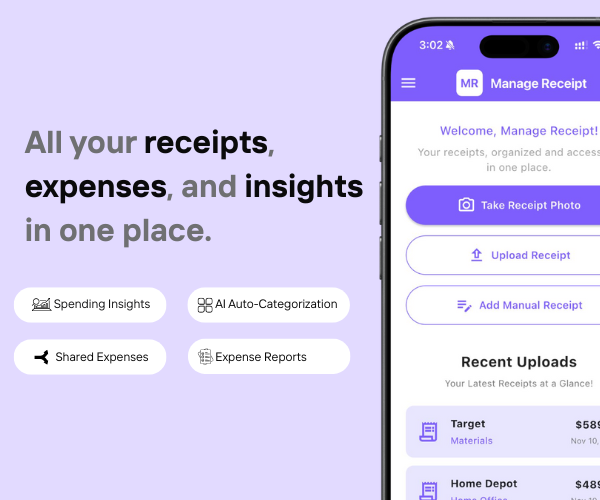
The tool that replaced my spreadsheet was Manage Receipt.
With Manage Receipt, SMBs can:
Capture receipts instantly to prevent loss
Store all receipts in one centralized system
Access proof quickly for approvals and audits
Improve visibility into spending
Reduce manual work and admin overhead
This helps SMBs build a cleaner, faster, and more reliable expense process.
Click Here to know more about how Manage Receipt helps small businesses.

Stopping Excel for expense tracking wasn’t just about convenience — it completely changed how organized and stress-free my finances became.
Spreadsheets are great tools, but they weren’t built for receipts, proof, and real-world expense management.
With tools like Manage Receipt, expense tracking becomes automatic, accurate, and effortless — freeing up time to focus on growth instead of admin work.
Sometimes upgrading your system is the biggest productivity win.

From smartphones to air conditioners, big purchases come with big responsibilities. With Manage Receipt, you can stop worrying about lost receipt. Whether you’re requesting a refund or sending a product for repair, your receipts are always there when you need them.


© 2025 Manage Receipt. All Rights Reserved.
