


For many small business owners, expense tracking feels like a time drain. Receipts pile up, spreadsheets grow messy, and organizing everything takes hours that could be spent growing the business.
The good news? With the right habits and tools, small business expense tracking can take minutes instead of hours.
Here are 5 proven time-saving tips that help businesses stay organized without wasting time.

The fastest way to save time later is to act right away.
Instead of:
Throwing receipts in your wallet
Taking photos and forgetting them
Waiting until the end of the month
Do this:
Capture receipts as soon as you get them
Store them digitally right away
This prevents lost receipts and reduces cleanup work later.

Scattered receipts waste time.
Avoid having:
Some receipts in email
Some on your phone
Some in paper folders
Some in spreadsheets
Using one central system for all receipts saves hours of searching and organizing.

Manual entry is one of the biggest time wasters.
Automation helps by:
Reducing data entry
Preventing duplicate records
Keeping receipts organized automatically
Even small automation steps make a big difference.

Waiting until the end of the month creates backlog.
A quick weekly review:
Keeps records fresh
Helps catch missing receipts
Reduces large cleanups later
Small, frequent check-ins save more time than big monthly sessions.

Expense reports, reimbursements, and tax prep all require proof.
When receipts are already organized:
Reports take minutes
Reimbursements are faster
Tax prep is easier
Organized proof = faster processes everywhere.
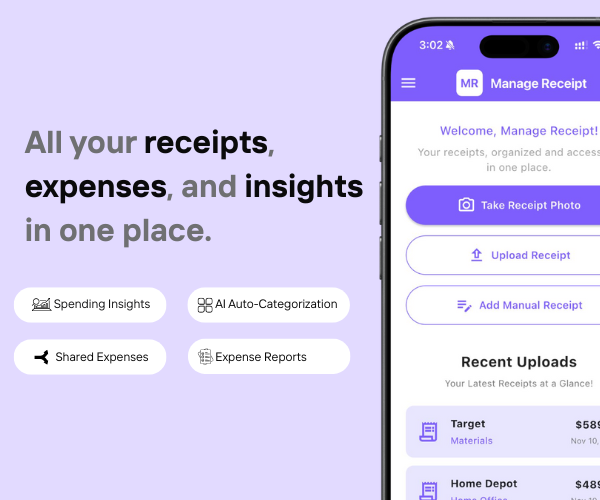
Manage Receipt is built to help small businesses save time on expense tracking.
With Manage Receipt, you can:
Capture receipts instantly
Store all receipts in one place
Search and retrieve receipts quickly
Keep proof ready for reports and taxes
Avoid manual organizing
This turns expense tracking into a fast, low-effort routine.
Click Here to know more about how Manage Receipt helps Small Businesses.

Small business expense tracking doesn’t have to steal your time. By capturing receipts early, using one system, automating simple tasks, and reviewing regularly, you can reduce manual work dramatically.
Tools like Manage Receipt help businesses stay organized, save time, and focus on growth instead of paperwork.
Less time tracking. More time building.

From smartphones to air conditioners, big purchases come with big responsibilities. With Manage Receipt, you can stop worrying about lost receipt. Whether you’re requesting a refund or sending a product for repair, your receipts are always there when you need them.


© 2025 Manage Receipt. All Rights Reserved.
