How to Stick to a Monthly Budget With Automated Receipt Scanning

Managing a monthly budget sounds simple — until daily expenses, groceries, fuel, subscriptions, and small impulse purchases start adding up.
The biggest problem? People forget what they spent, lose receipts, or underestimate their actual expenses.

Automated receipt scanning changes this completely. It helps you track spending effortlessly, stay aware of your habits, and maintain full control over your budget.

Here’s how it works and why it can transform your financial routine.

Track Spending Instantly Without Manual Work

expense management

The biggest reason budgets fail is because people forget to record expenses. Automated receipt scanning solves this by capturing every purchase the moment it happens.

Just scan the receipt → the app logs amount, category, date, and vendor automatically.

This removes guesswork and ensures your budget reflects reality, not assumptions.

expense management

Understand Where Your Money Really Goes

Understand Where Your Money Really Goes

Scanning receipts regularly helps you see spending patterns like:

  • Are you overspending on food?

  • Is fuel taking more of your budget than expected?

  • Are subscriptions quietly draining money each month?

Automated scanning gives you clear insights, helping you cut unnecessary costs before they add up.

Set Spending Limits & Monitor Them Easily

spend management

With digital tracking, you can:

  • Set category limits (food, travel, shopping)

  • Get alerts when you’re close to overspending

  • Compare actual vs. planned spending

Budgeting becomes stress-free when you always know where you stand.

spend management

Stay Organized With a Paperless System

Stay Organized With a Paperless System

Physical receipts fade or get lost. Automated scanning keeps them:

  • Digitally stored

  • Easy to categorize

  • Ready for returns, warranties, or reimbursements

  • Securely backed up

Paperless budgeting keeps everything clean and accessible anytime.

Stick to Your Budget Easily With Manage Receipt

manage receipt

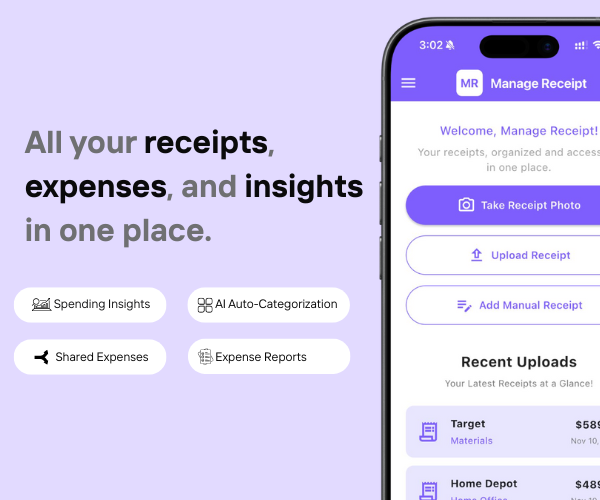
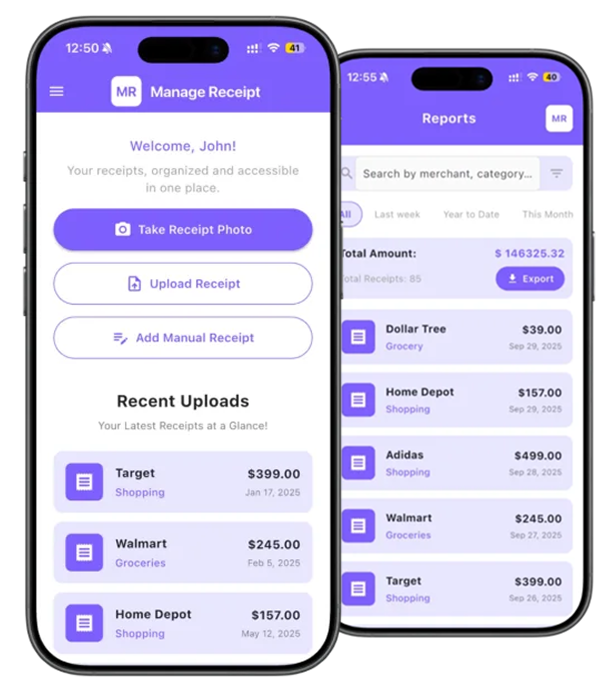
The Manage Receipt app makes automated receipt scanning simple and effortless.

How Manage Receipt Helps You Stay on Budget

  • Scan receipts instantly after every purchase

  • Auto-categorize expenses (groceries, travel, meals, bills, etc.)

  • Track monthly spending in an organized dashboard

  • Export summaries to review or share

  • Use digital storage to eliminate receipt clutter

  • Get clearer financial insights to avoid overspending

With Manage Receipt, budgeting becomes automatic — not a chore.

manage receipt

Conclusion

small business

Conclusion

small business

Sticking to a monthly budget becomes much easier when you automate your expense tracking.
By scanning receipts instantly and letting technology categorize everything for you, you gain full control over your spending habits.

With tools like Manage Receipt, you stay disciplined, organized, and financially confident — every month.

FAQs

Q1. How does automated receipt scanning help with budgeting?

It records expenses instantly, removes manual entry, prevents missed expenses, and gives accurate spending insights.

Q2. Do I still need to track expenses manually?

No. With automated scanning in Manage Receipt, your receipts are captured and categorized for you.

Q3. Can I create category budgets with receipt scanning?

Yes. You can set limits for food, travel, shopping, and other categories to stay within your monthly budget.

Q4. Is digital receipt storage better than keeping paper receipts?

Absolutely. Digital receipts don’t fade, get lost, or clutter your space — and they’re always available when needed.

Q5 Can Manage Receipt help families or students with budgeting?

Yes. It’s perfect for students, professionals, families, and small businesses wanting better control over monthly spending.
app screens

Peace of Mind with Every High-Value Purchase

app screens

From smartphones to air conditioners, big purchases come with big responsibilities. With Manage Receipt, you can stop worrying about lost receipt. Whether you’re requesting a refund or sending a product for repair, your receipts are always there when you need them.