


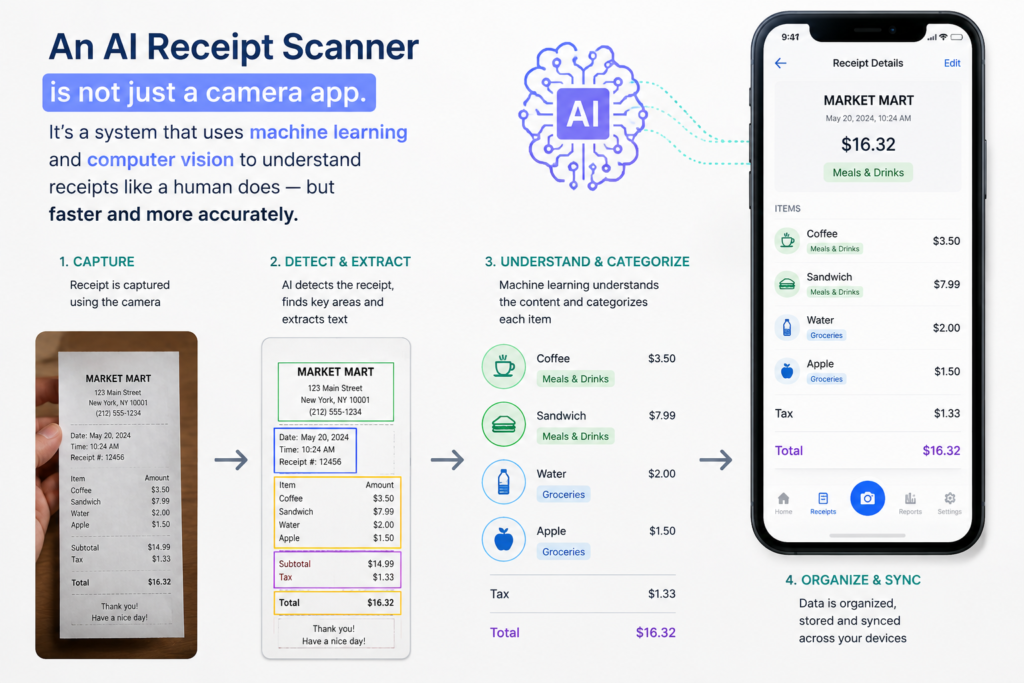
AI receipt scanning eliminates manual expense tracking. Instead of manually entering receipt data, artificial intelligence reads and categorizes everything automatically.
- Image capture: You photograph the receipt with your phone camera. The app stores a high-quality copy.
- Text extraction: AI reads the text on the receipt: store name, date, items, prices, total.
- Data analysis: The AI identifies what information is important: merchant name, transaction date, amount.
- Automatic categorization: The system assigns the expense to a category: groceries, supplies, travel, utilities.
- Cloud storage: The receipt is backed up securely in the cloud so you never lose it.
- Search indexing: The receipt becomes searchable by store name, date, amount, or category.
Traditional receipt apps just store images. AI receipt scanners read and understand the receipts. That’s the fundamental difference — and it’s why AI systems save hours of manual work.
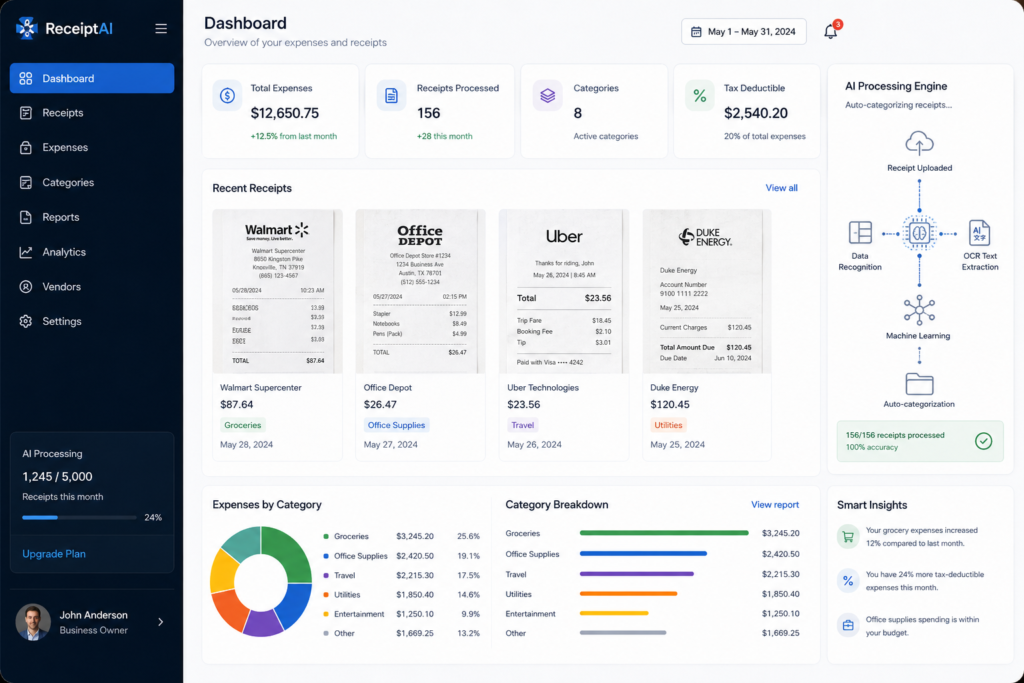
Sorting receipts manually takes time. However, AI receipt sorting does this automatically.
After the first few weeks, the AI sorts 90%+ of receipts correctly without your input. Edge cases still require a quick manual review, but the system learns from those too.
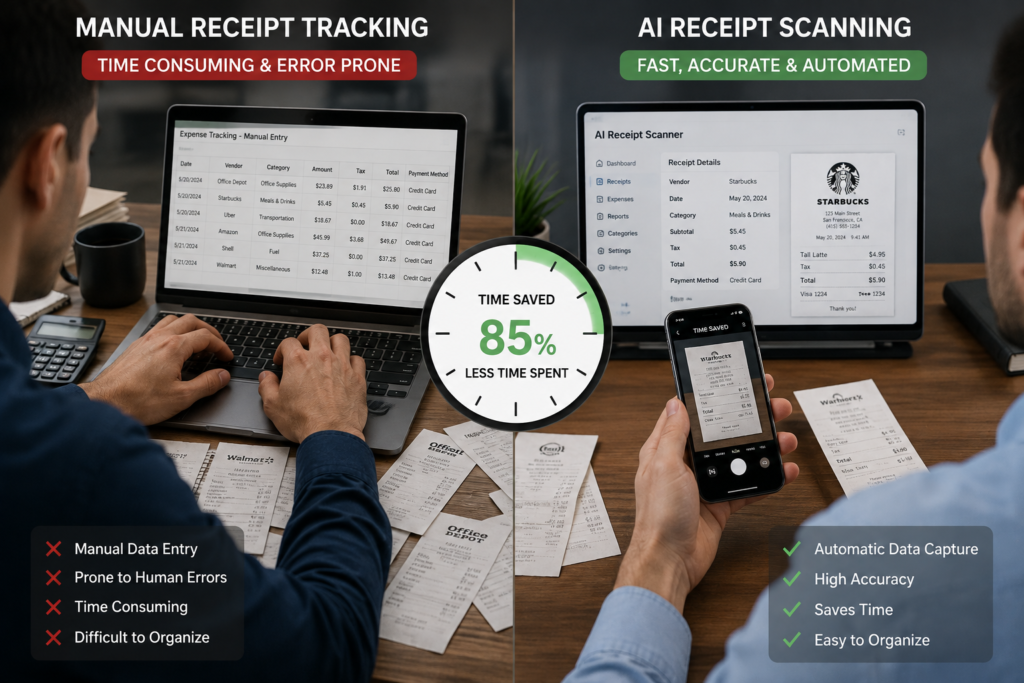
Manual tracking costs 2-5 minutes per receipt. By contrast, AI scanning takes only 5 seconds.
Manual Method:
Time investment: 2-5 minutes per receipt
AI Method:
If you have 50 receipts a month, manual tracking costs 2.5-4 hours monthly. AI saves 8-10 hours every single month. Over a year, that’s 96-120 hours of your time — worth thousands of dollars.
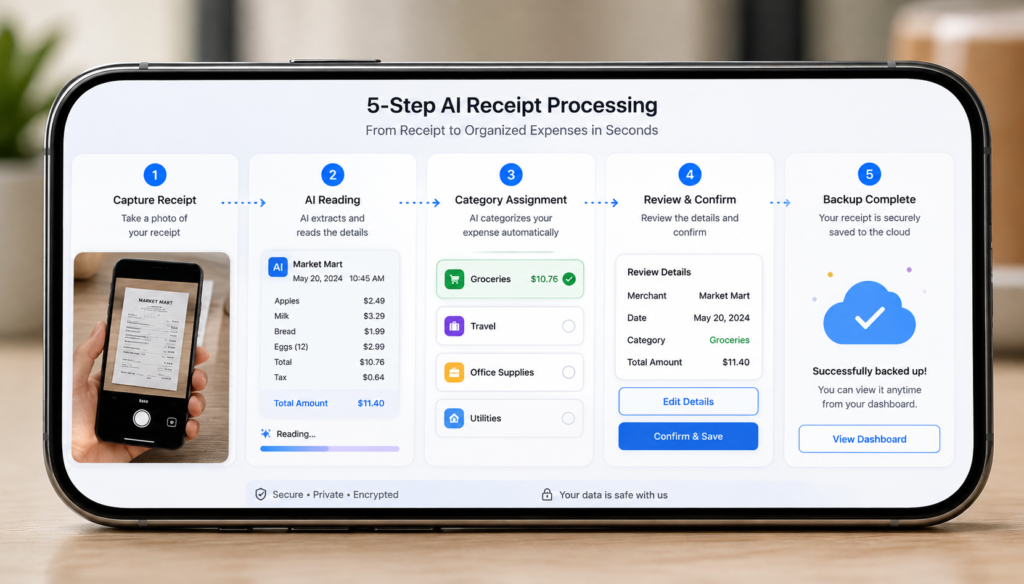
Setting up an AI receipt scanning system is simple. Here’s the straightforward process:
Step 1: Download an AI receipt scanner app
Choose an app that uses artificial intelligence to read receipts automatically. Look for apps that mention AI, automatic categorization, or OCR (optical character recognition). Manage Receipt uses advanced AI to scan and categorize instantly.
Step 2: Snap a photo of the receipt
Use your phone camera to photograph the receipt. Make sure the entire receipt is visible, the text is readable, and the lighting is clear. AI works best with clear images.
Step 3: Let AI extract the data
The app automatically reads the merchant name, date, items, and total. You don’t type anything — the AI does the work. Review the extracted data to make sure it’s correct.
Step 4: Review the category
The AI assigns a category automatically: groceries, office supplies, travel, meals, etc. Most of the time it’s correct. If it’s wrong, tap to change it — the AI learns from the correction.
Step 5: Done
The receipt is scanned, categorized, and backed up. Search for it later by store name, date, amount, or category. You never manually file anything.
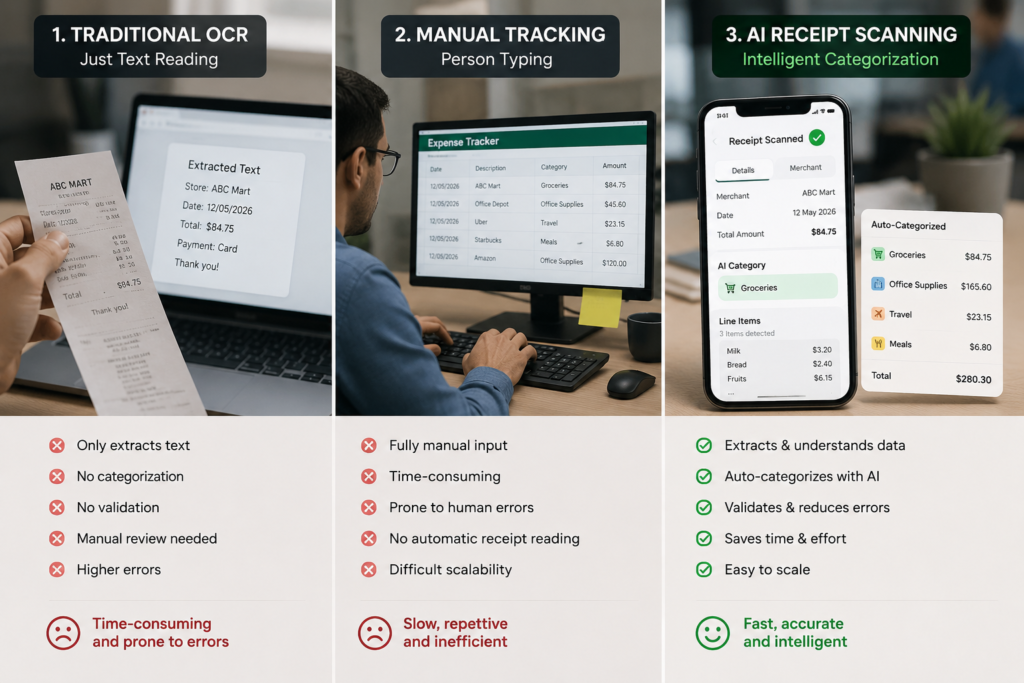
You might think: “Can’t I just photograph receipts on my phone and use OCR?” Technically yes, but AI receipt scanning is different in important ways:
Standard OCR extracts text. AI understands context.
OCR might read “12.99” on a receipt and stop. AI knows that’s the total and categorizes it as a purchase. It reads the merchant name and recognizes “Target” means retail purchases.
Manual scanning requires you to assign categories. AI learns them.
The first time you use an AI system, you might correct a few categorizations. After that, the system learns. On receipt 50, it barely needs correction. On receipt 100, it’s nearly perfect.
Image storage alone doesn’t help you find things. AI makes receipts searchable.
Traditional apps store photos. AI receipt systems index them by merchant, date, amount, category, and keywords. Search for “office supplies, July” and every relevant receipt appears instantly.

Businesses benefit from AI receipt scanning even more than individuals because they handle higher volumes of receipts and stricter documentation requirements.
For Individuals:
For Small Businesses:
For Consultants and Freelancers:

AI receipt scanning is already standard. The next wave includes emerging technologies that make receipt management even smarter and more integrated:
The basic principle stays the same: let artificial intelligence handle the boring work so you focus on what matters.
Whether you use a credit card or debit card, the real challenge is organizing proof.
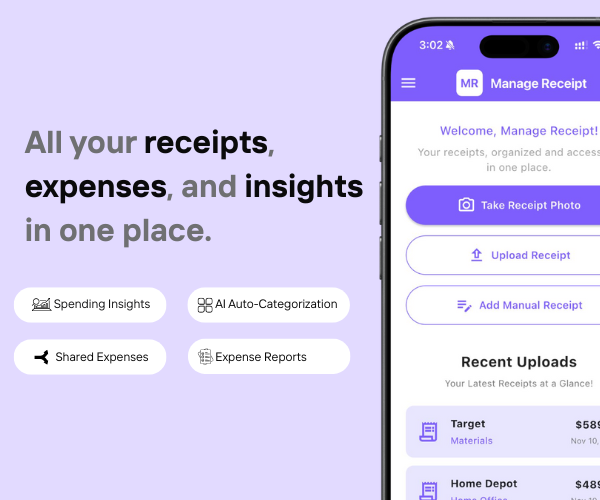
Manage Receipt helps bridge that gap by ensuring every transaction has proper documentation.
With Manage Receipt, you can:
Capture receipts instantly to prevent loss
Store all receipts in one centralized system
Access proof quickly for approvals and audits
Improve visibility into spending
Reduce manual work and admin overhead
The biggest benefit of using ManageReceipt isn’t just the time you save. It’s the money you keep — because every receipt you capture is a deduction you can actually claim.
Try ManageReceipt free today — available on iOS and Android. No credit card required.
Click Here to know more about how Manage Receipt helps small businesses.

Scanning and sorting receipts manually is a solved problem. AI makes it automatic. The moment you photograph a receipt, everything else happens — extraction, categorization, storage, backup, indexing.
The time you save adds up fast. Fifty receipts a month becomes ten hours saved annually. That’s time for things that actually matter.
Stop wasting time on receipts. Let artificial intelligence do what it does best — handle the details while you focus on what matters.

Every tool on this list helps you run your business better. But none of them matter if your financial records are a mess.
Before you invest in project management software, marketing tools, or e-commerce platforms — make sure your expense tracking is airtight. Every purchase you make for your business needs to be documented, categorised, and stored correctly. Not just for tax season, but for understanding whether your business is actually profitable.
That is exactly what ManageReceipt is built for. Scan a receipt in seconds, add the business purpose, and it is stored, backed up, and export-ready. No shoebox of crumpled paper. No scrambling at tax time.
Download ManageReceipt Free — Start Tracking Expenses Today
iOS & Android | managereceipt.com


© 2025 Manage Receipt. All Rights Reserved.
